
SnapTik - TikTok Video Downloader
- HD MP4
- No Watermark
- MP3 and Photos
- Free to Use
Public videos, photo slideshows, stories and Douyin links
TikTok video downloader SnapTik saves any public TikTok as an MP4 file with no watermark. Copy the link, paste it in the box above, and pick the file you want. You can get the video in HD, the sound as an MP3, or every photo from a slideshow. There is nothing to install and no account to make. SnapTik runs in the browser on your phone, tablet or computer, and it shows you the real quality of each file before you save it.
How to use the SnapTik TikTok video downloader
Copy the TikTok link
Open TikTok and find the video. Tap Share, then tap Copy link. On a computer, you can copy the address from the top of your browser. Not sure where the button is? See how to copy a TikTok link.
Paste it into SnapTik
Come back to this page. Tap the Paste button, or press and hold the box and choose Paste. Then tap Download.
Pick a file and save it
Our TikTok video downloader reads the link and shows a list of files. Each one has a label with its real size, such as MP4 720p or MP4 576p, plus MP3 for the sound. Tap the one you want. On iPhone, the file goes to the Files app (iCloud Drive > Downloads) first, and you can move it to Photos from there. On Android and computers, look in your Downloads folder.
That's it. Most links take a few seconds, but a long video or a slow connection can take a bit longer.
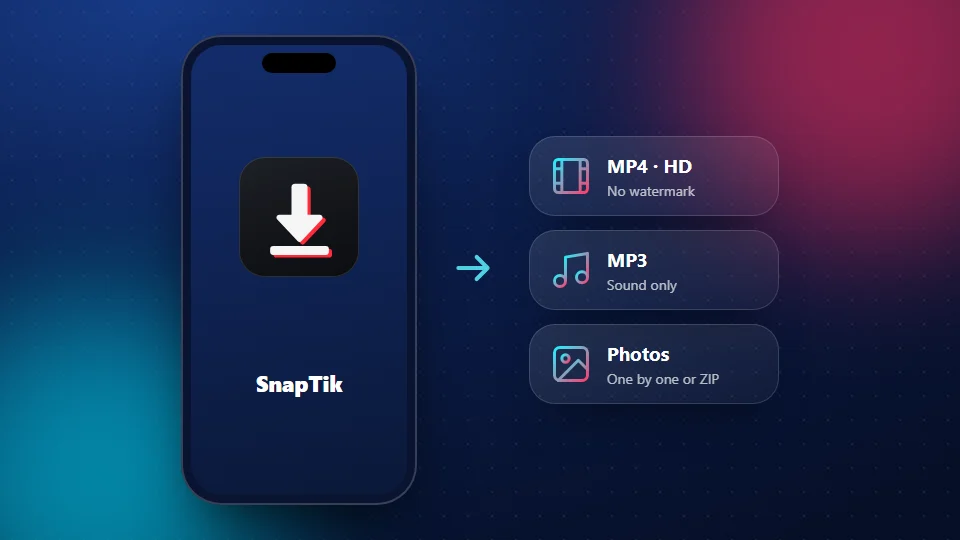
Why use the SnapTik TikTok video downloader
No watermark
Save the clean video file, without the TikTok logo or the username at the end.
Real HD labels
Every button shows the real size, up to 1080p when the creator uploaded it.
MP3 sound
Keep only the audio from any public video or photo slideshow.
Slideshow photos
Save each photo at full size, or all of them in one ZIP file.
Works on any device
iPhone, Android, Windows, Mac and Chromebook, right in your browser.
No login, no app
Nothing to install, and we never ask for your TikTok password.
What you can save with this TikTok video downloader
SnapTik handles more than plain videos. Paste any public TikTok link and the tool works out what kind of post it is, so you don't need a different site for each format.
Videos without the watermark
TikTok's own Save button adds the TikTok logo and the creator's name to the video. SnapTik gives you the clean file instead.
HD video
You get the best quality the creator uploaded. If the clip was posted in 1080p, you will see a 1080p option. If it was posted in 720p, that is the top choice. No TikTok video downloader can add detail that was never in the clip. See the TikTok HD downloader page for help picking a size.
Sound as MP3
Want only the song, a funny voice clip or a short lecture? Tap MP3 in the results. The TikTok MP3 downloader page shows how to turn a sound into a ringtone.
Photo slideshows
Photo posts can hold many pictures and a sound. SnapTik lets you save each photo on its own, all of them in one ZIP file, or just the music as an MP3. Learn more on the slideshow downloader page.
Stories
Stories vanish after 24 hours. If the story is public and still live, paste its link and save it in time. The story downloader page explains what works and what doesn't.
Douyin videos
Douyin is the Chinese version of TikTok. Paste a Douyin link and you get the same options. Go to the Douyin downloader for details.
Why SnapTik is a quality-first TikTok video downloader
The HD in our address is a promise we can keep: we never shrink your file. Some sites squeeze every video down to save on server costs. SnapTik passes on the file TikTok has, at the size you pick.
We also show you what you are getting. A lot of tools say "HD" on every button, even when the file is small. On SnapTik, each button shows the real size, like 1080p or 720p, and the file size in MB. If a size isn't there, the clip doesn't have it.
That matters if you edit videos, watch on a TV or want a copy that still looks good in a year. A TikTok video downloader should be honest about quality, and that is the whole idea behind SnapTik.
TikTok video downloader without watermark
When you save a clip with TikTok's own button, the logo bounces around the screen and the creator's username shows at the end. That's fine for a quick share, but it gets in the way if you want to edit the clip, use it in a class, or just watch it clean.
SnapTik works as a TikTok video downloader without watermark by fetching the original video file, before TikTok's logo is placed on it. Nothing is blurred, cropped or painted over, so the picture stays full size. Want to know more about how this works and when it's polite to keep the logo? Read our watermark guide.
Pick the right file
Every TikTok video downloader gives you a list of files after you paste a link. Not sure which one to tap? This table helps.
| File | Best for | Quality |
|---|---|---|
| MP4 1080p | Big screens, editing, keeping a copy | Only if the clip was uploaded in 1080p |
| MP4 720p (HD) | Phones and sharing in chats | Sharp on most phones, smaller file |
| MP4 576p | Low storage or slow internet | Smallest video file |
| MP3 | Music, voice clips, ringtones | Same sound as the post |
| Photos or ZIP | Slideshow pictures | Full size, as uploaded |
A good rule: pick 720p for your phone and 1080p for a laptop or TV. If you want a plain MP4 file that plays in any app, the TikTok to MP4 page has more tips.
Use SnapTik on any device
This TikTok video downloader works in any modern browser. The steps change a little from device to device.
iPhone and iPad
The TikTok video downloader works best in Safari. After you tap Download, Safari asks if you want to save the file. The video lands in Files > iCloud Drive > Downloads. Open it, tap the Share icon, and choose Save Video to put it in Photos. Our iPhone guide has screenshots for each step.
Android
Chrome works best with our TikTok video downloader. The file goes straight to your Downloads folder, and most gallery apps show it right away. Read the Android guide if you can't find it.
Windows, Mac and Chromebook
Copy the link from tiktok.com or from the TikTok app on your phone. Paste it here and click Download. The file saves to your usual Downloads folder. The PC and Mac guide covers each system.
SnapTik vs the Save button in TikTok
TikTok has its own way to save videos. Here is how it compares with a TikTok video downloader like SnapTik.
| TikTok Save button | SnapTik | |
|---|---|---|
| Watermark | Yes, logo and username | No |
| Choose quality | No | Yes, from what the clip has |
| Save only the sound | No | Yes, as MP3 |
| Needs the TikTok app | Yes | No, any browser |
The Save button is fine for a quick share. SnapTik is better when you want a clean, full-size file.
What SnapTik can't do
We'd rather tell you now than waste your time.
- Private posts. SnapTik only works with public posts. No TikTok video downloader can open a private post without the owner's login, and we will never ask for yours. Nobody should.
- Expired stories. Once a story is gone, the link stops working. We can't bring it back.
- TikTok Notes. TikTok shut down its Notes app on May 8, 2025, so there are no Notes posts left to save.
- 4K. We don't promise 4K. You get the sizes TikTok has for that post, and on SnapTik the top choice is 1080p.
Pros and cons of SnapTik
Here is an honest look at SnapTik as a TikTok video downloader, good parts and weak parts.
Pros
- No app, no signup, no TikTok login
- Real quality labels, so you know what you are saving
- Video, MP3, slideshow photos, stories and Douyin in one box
- Works on iPhone, Android, Windows, Mac and Chromebook
Cons
- Public posts only; private videos won't work
- Quality is capped by what the creator uploaded
- On iPhone you need one extra step to move videos from Files to Photos
- One link at a time; there is no bulk download
- We show ads to keep the tool free
- When TikTok changes its site, downloads can break for a short time while we fix them
Tips to get the best download
A few small habits save a lot of failed tries.
Copy the link with the Share button, not from a screenshot or a chat preview (here's how on every device). Short links like vm.tiktok.com work fine, as long as they are not cut off.
On a slow connection, pick 720p. The file is smaller and saves faster.
If you plan to edit the clip, take the 1080p file when it is there. Editing apps lose a little quality each time you export, so start with the best copy.
Saving a song for later? Grab the MP3. It is a much smaller file than the video, and it plays in any music app. A good TikTok video downloader gives you both, so use the one that fits.
Use your downloads fairly
A TikTok video downloader is just a tool, and how you use it matters. Every TikTok belongs to the person who made it. Saving a video to watch offline or to keep a recipe is one thing. Reposting someone's work as your own is another. If you share a clip, credit the creator and ask first when you can. SnapTik is for personal use. If you made a video and want it blocked from SnapTik, contact us and we will look at it.
Frequently Asked Questions
Is SnapTik free?
Yes. SnapTik is a free TikTok video downloader. We show a few ads to pay for servers. You don't need to sign up or pay to download.
Is SnapTik an official TikTok app?
No. SnapTik at snaptikhd.org is an independent tool. We are not part of TikTok or ByteDance.
Is there a SnapTik app to install?
You don't need one. SnapTik is a web-based TikTok video downloader, so it works in your browser. To open it like an app, add snaptikhd.org to your home screen from your browser menu.
How do I download a TikTok video without a watermark?
Copy the video link in TikTok, paste it into the TikTok video downloader at the top of this page and tap Download. Then choose one of the MP4 files. They have no watermark.
What quality will my video be?
It depends on the upload. SnapTik shows the sizes the clip has, up to 1080p, with the real size on each button. If you only see 720p, that is the best the creator posted.
Can I save just the sound?
Yes. Pick MP3 in the list of results. This also works on photo slideshows that have music.
Can I download private TikTok videos?
No. SnapTik only works with public posts. We don't ask for your login, and you should not give it to any downloader site.
Where do my downloads go?
On Android and computers, check your Downloads folder. On iPhone and iPad, look in Files > iCloud Drive > Downloads, then save the video to Photos.
Does the creator know if I save their video?
SnapTik does not tell the creator or send them any alert. We can't speak for what TikTok tracks inside its own app.
Do you keep a copy of my videos?
No. SnapTik passes the file from TikTok straight to you and doesn't store videos. The link you paste is kept for up to two hours so your download can finish, then it is deleted.
Why is my download not working?
Check that the post is public and still online. Copy the link again in full, since cut-off links fail. If it still won't work, try another browser or wait a few minutes and retry. Our fixes page covers each error.
Is it legal to download TikTok videos?
Saving public videos for your own use is usually fine. Reposting or selling someone else's video without permission can break copyright law and TikTok's rules. When in doubt, ask the creator. Read more in is it legal to download TikTok videos.