
TikTok Download Not Working? 9 Fixes
- Clear Error Messages
- Public Posts Only
- Fresh Link Each Time
- Any Browser
Paste the link again here to retry
TikTok download not working? Most problems come from the link, the post's settings or the browser. Work through these fixes in order. Most people are sorted by fix 3.
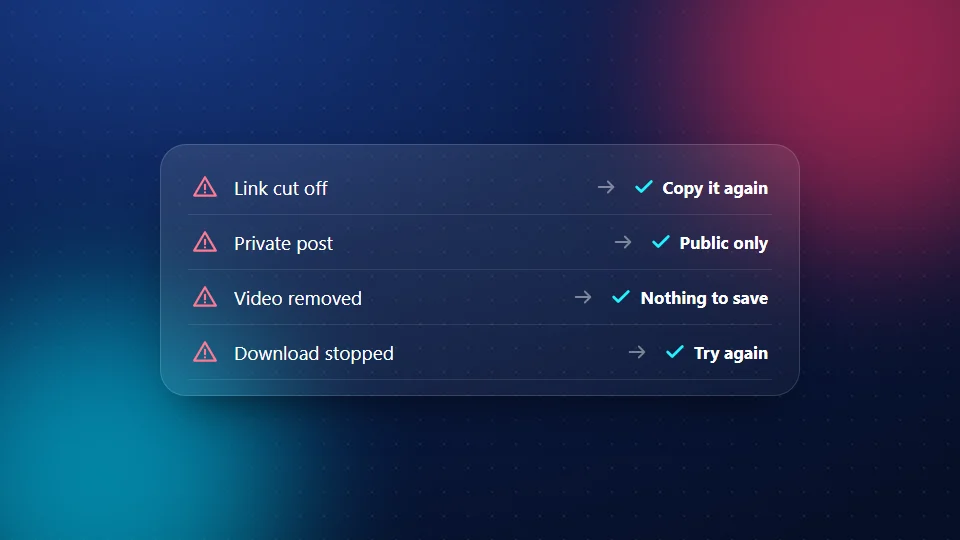
1. "Please paste a valid video link"
The link is cut off, or it isn't a video link. Open the video in TikTok, tap Share > Copy link and paste again. A link to someone's profile won't work. See how to copy a TikTok link.
2. "This post is private"
Only public posts can be saved. If the account is private, SnapTik can't open it, and we will never ask for a TikTok login to get around that.
3. "This video is private, deleted or not available"
The creator may have deleted the post or changed who can see it. Open the link in a browser. If it doesn't play there, it can't be downloaded.
4. "The platform is busy right now"
TikTok sometimes slows down requests for a short time. Wait a minute and try again.
5. "Too many requests"
To keep the tool fair for everyone, each visitor can check a limited number of links in a short time. Wait a few minutes, then carry on.
6. The download starts, then stops
Your connection may have dropped. Try again on Wi-Fi, or pick a smaller size such as 720p. Download links expire after about two hours, so if you left the page open, paste the link again.
7. The video opens instead of saving
Some browsers play the file instead of saving it. On a computer, right-click the button and choose Save link as. On iPhone, use Safari. On Android, long-press the button and choose Download link.
8. You can't find the file
- iPhone: Files > iCloud Drive > Downloads. See the iPhone guide.
- Android: Files by Google or My Files > Downloads. See the Android guide.
- PC and Mac: your Downloads folder. See the PC guide.
9. The video has no sound
TikTok mutes some songs for copyright reasons. If the post is silent in the TikTok app, the file will be silent too. For more on sound, see the MP3 page.
Still not working?
TikTok changes its site from time to time, and downloads can break for a short while until we update. Try again later, or contact us with the link and the error message.
Frequently Asked Questions
Why does SnapTik say my link is invalid?
The link is cut off, it's a profile link, or it's not from TikTok or Douyin. Copy the link again from the video's Share menu.
Can I download a private TikTok?
No. SnapTik only works with public posts and never asks for a login.
Why did my download stop halfway?
Usually a weak connection. Try Wi-Fi or a smaller size. If you waited a long time, paste the link again, because download links expire after about two hours.
Why can't I find my video on iPhone?
Safari saves it to Files > iCloud Drive > Downloads, not Photos. Open it and tap Share > Save Video.
Is SnapTik down?
Sometimes TikTok changes its site and downloads break for a short time. Try again later or contact us with the link.
Is SnapTik linked to TikTok?
No. SnapTik at snaptikhd.org is an independent tool. We are not part of TikTok or ByteDance. If your TikTok download is not working, these fixes cover the common causes.