
How to Copy a TikTok Link
- Share › Copy Link
- Short Links Work
- Share Text Works
- Phone or Computer
Copy the link, then paste it here to test it
Every TikTok download starts with the link. Here's how to copy a TikTok link on a phone, a tablet or a computer, and how to tell when a link is cut off.
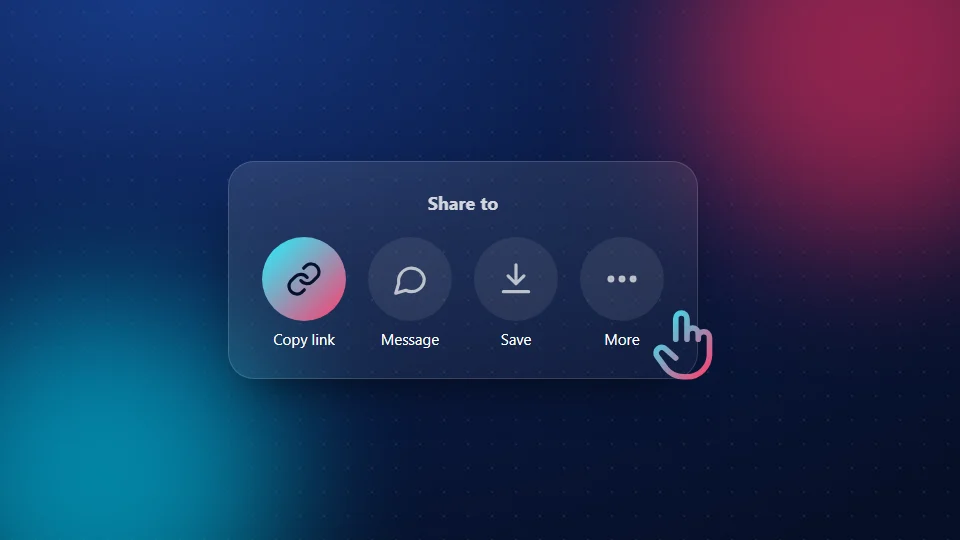
Copy a TikTok link on iPhone or Android
- Open the video in the TikTok app.
- Tap the Share arrow on the right side of the screen.
- Tap Copy link. TikTok shows a short "Copied" message.
The link is now on your clipboard. Open SnapTik and tap Paste.
Copy a TikTok link on a computer
On tiktok.com, open the video and copy the address from the bar at the top of your browser. You can also right-click the video and choose Copy link. Our PC and Mac guide covers the rest.
Copy the link of a photo post or story
Photo posts and stories use the same Share > Copy link button. Stories only stay up for 24 hours, so copy the link soon. See the slideshow downloader and the story downloader.
What a good TikTok link looks like
| Link | Fine to paste? |
|---|---|
| https://www.tiktok.com/@name/video/7312… | Yes |
| https://vm.tiktok.com/ZMh3k9Xab/ | Yes |
| https://vt.tiktok.com/ZSa1b2c3/ | Yes |
| The whole share message with text around it | Yes, SnapTik finds the link inside |
| tiktok.com/@name (a profile) | No, that's an account, not a video |
Common mistakes
The link is cut off. Chat apps sometimes cut long links. Copy it again straight from TikTok.
It's a profile link. A link to someone's account isn't a video. Open the video itself and copy its link.
The post is private. Private posts can't be saved. SnapTik only works with public posts.
Still stuck? See our download fixes.
Frequently Asked Questions
Where is the Copy link button in TikTok?
Tap the Share arrow on the right of the video. Copy link is in the row of options that slides up.
Can I copy a TikTok link without the app?
Yes. Open the video on tiktok.com in any browser and copy the address from the top of the page.
Do short vm.tiktok.com links work?
Yes. Short links work the same as full links, as long as they aren't cut off.
Can I paste the whole share message?
Yes. If you paste a message with text around the link, SnapTik finds the link inside it.
Why does my link say invalid?
It's usually cut off, a profile link, or not a TikTok link at all. Copy the link again from the video's Share menu.
Is SnapTik part of TikTok?
No. SnapTik at snaptikhd.org is an independent tool. We are not part of TikTok or ByteDance. Once you copy a TikTok link, paste it into SnapTik to save the video.