
How to Remove the TikTok Watermark
- Clean Original File
- No Blur or Crop
- Full Size
- Credit the Creator
Save the video without the TikTok logo
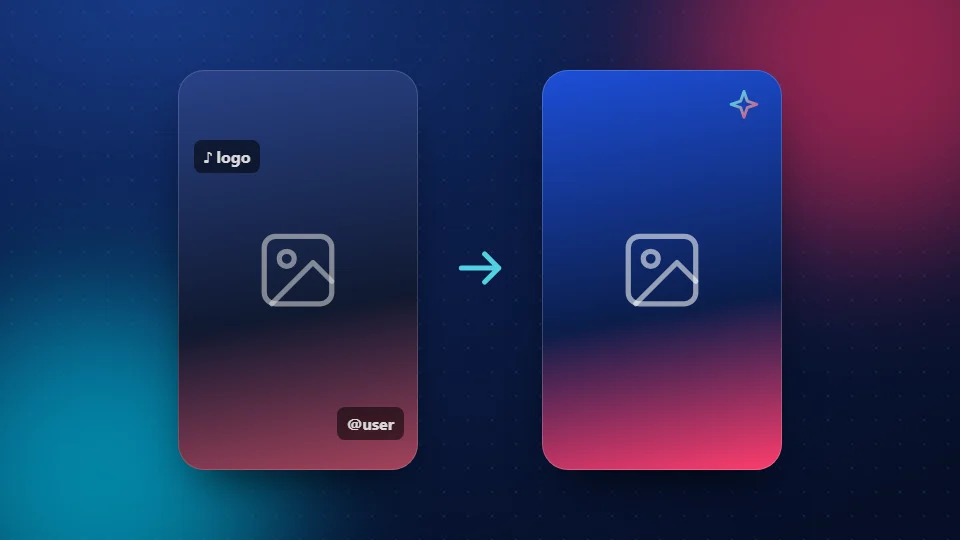
Want to remove the TikTok watermark? The easiest way is to never add it. When you save a video with TikTok's own button, the app stamps its logo and the creator's name on it. SnapTik saves the original file before that happens, so there's nothing to blur or crop.
Why TikTok adds a watermark
TikTok adds the watermark when you save a video from inside the app. The bouncing logo and the username at the end show where the clip came from. It's free advertising for TikTok, and it credits the creator when the clip is shared on other sites.
How SnapTik saves the video without it
SnapTik asks for the video file TikTok streams in the app, which doesn't have the logo burned in. Nothing is painted over, blurred or cut off, so you get the full picture at its real size.
- Copy the video link in TikTok (Share > Copy link).
- Paste it into SnapTik and tap Download.
- Pick an MP4 size. It saves without the watermark.
Why not use a watermark "remover" app?
Remover apps blur or crop the logo after it's added. That leaves smudges, cuts off part of the picture and lowers the quality. Saving the clean file in the first place gives a better result. Need it sharp? See the HD downloader.
When it's polite to keep the watermark
- When you repost someone's video, with their permission
- When you share a clip in a group chat and want people to find the creator
- When you use a clip in a reaction or review
If you save the clean file, credit the creator yourself. SnapTik puts their handle in the file name to make that easy. Read more in is it legal to download TikTok videos.
Frequently Asked Questions
Can I remove the watermark from a video I already saved?
Not cleanly. The logo is part of the picture once it's saved. Save the video again with SnapTik to get the clean file.
Does saving without the watermark lower the quality?
No. You get the original file at the size you choose, without blurring or cropping.
Can I remove the watermark from my own TikTok?
Yes. Paste the link to your own public video into SnapTik and save the MP4.
Is it okay to repost a video without the watermark?
Only with the creator's permission, and you should still credit them.
Does it work for photo posts?
Yes. Photos from slideshows save without a logo. Use the slideshow downloader.
Is SnapTik part of TikTok?
No. SnapTik at snaptikhd.org is an independent tool. We are not part of TikTok or ByteDance. It's a simple way to remove the TikTok watermark by saving the clean file.